CrossTab Sparsity for Classification
Can our metric help us in making a classification problem work better ?

Introduction: A Journey into Data
Picture this: you’re standing on the icy shores of Antarctica, the wind whipping around you as you watch a colony of Palmer Penguins waddling about, oblivious to the data detective work you’re about to embark on. As a data science architect, you’re not just an observer; you’re a sleuth armed with algorithms and insights, ready to unravel the mysteries hidden within data. Today, we’ll transform raw numbers into powerful narratives using CrossTab Sparsity as our guiding compass. This blog post will demonstrate how this metric can revolutionize classification tasks, shedding light on many fascinating datasets—the charming Palmer Penguins and the serious Obesity, Credit cards data and many more.
The Power of CrossTab Sparsity
What is CrossTab Sparsity?
CrossTab Sparsity isn’t just a fancy term that sounds good at dinner parties; it’s a statistical measure that helps us peer into the intricate relationships between categorical variables. Imagine it as a magnifying glass that reveals how different categories interact within a contingency table. Understanding these interactions is crucial in classification tasks, where the right features can make or break your model (and your day).
Why Does It Matter?
In the world of data science, especially in classification, selecting relevant features is like picking the right ingredients for a gourmet meal—get it wrong, and you might end up with something unpalatable. CrossTab Sparsity helps us achieve this by:
- Highlighting Relationships: It’s like having a friend who always points out when two people are meant to be together—understanding how features interact with the target variable.
- Streamlining Models: Reducing complexity by focusing on significant features means less time spent untangling spaghetti code.
- Enhancing Interpretability: Making models easier to understand and explain to stakeholders is like translating tech jargon into plain English—everyone appreciates that!
Data Overview: Our Data People at work here
The Datasets
Data 1: Estimation of Obesity Levels Based On Eating Habits and Physical Condition
Little bit about the data: This dataset, shared on 8/26/2019, looks at obesity levels in people from Mexico, Peru, and Colombia based on their eating habits and physical health. It includes 2,111 records with 16 features, and classifies individuals into different obesity levels, from insufficient weight to obesity type III. Most of the data (77%) was created using a tool, while the rest (23%) was collected directly from users online.
Data 2: Predict Students’ Dropout and Academic Success
Little bit about the data: This dataset, shared on 12/12/2021, looks at factors like students’ backgrounds, academic path, and socio-economic status to predict whether they’ll drop out or succeed in their studies. With 4,424 records across 36 features, it covers students from different undergrad programs. The goal is to use machine learning to spot at-risk students early, so schools can offer support. The data has been cleaned and doesn’t have any missing values. It’s a classification task with three outcomes: dropout, still enrolled, or graduated
Key Features:
- Multiclass: Both data set cater a multi class problems with
NObeyesdadandTargetcolumns - Mixed Data Type: A good mix of categorical and continuous variables are available for usage.
- Sizeable: More than 2 K rows are available for testing.
Exploratory Data Analysis (EDA): Setting the Stage
Before we dive into model creation, let’s explore our dataset through some quick EDA. Think of this as getting to know your non-obese friends before inviting them to a party.
EDA for Obesity Data
Here’s a brief code snippet to perform essential EDA on the Obesity dataset:
import warnings
warnings.filterwarnings("ignore")
import pandas as pd
import seaborn as sns
import matplotlib.pyplot as plt
import numpy as np
from IPython.display import display
from sklearn.metrics import accuracy_score, precision_score, recall_score, f1_score, roc_auc_score, classification_report
from sklearn.model_selection import train_test_split
import statsmodels.api as sm
sns.set_style("ticks")
# Load the Obesity data
raw_df = pd.read_csv('ObesityDataSet_raw_and_data_sinthetic.csv')
target = 'NObeyesdad'

# Load Students data

# Load Credit data
# raw_data = sm.datasets.get_rdataset("credit_data",'modeldata')
# raw_df = raw_data.data
# target = 'Status'

# # Load Palmer penguins data
# raw_data = sm.datasets.get_rdataset("penguins",'palmerpenguins')
# raw_df = raw_data.data
# target = 'species'

# # Load Credit data
# raw_data = sm.datasets.get_rdataset("CreditCard",'AER')
# raw_df = raw_data.data
# target = 'card'

# setting things up for aal the next steps
raw_df[target] = raw_df[target].astype('category')
print('No of data points available to work:',raw_df.shape)
display(raw_df.head())

# Summary statistics
display(raw_df.describe())
Target distribution
# Visualize target data distribution
plt.figure(figsize=(4, 3))
sns.countplot(data=raw_df, x=target, hue=target, palette='Set2',)
plt.title(f'Distribution of {target} levels')
plt.xticks(rotation=45)
plt.show()

# Heatmap to check for correlations between numeric variables
corr = raw_df.corr('kendall',numeric_only=True)
sns.heatmap(corr, annot=True, cmap='coolwarm')
plt.title('Kendall Correlation Heatmap')
plt.show()
Some Mode EDA for the data
# Visualize the distribution of numerical variables
sns.pairplot(raw_df, hue=target, corner=True)
plt.show()

# Gettign Categorical data
categorical_columns = raw_df.select_dtypes(include='object').columns

# Plot categorical variables with respect to the target variable
for col in categorical_columns:
    plt.figure(figsize=(12, 5))
    sns.countplot(data=raw_df,x=col, hue=target)
    plt.title(f"Countplot of {col} with respect to {target}")
    plt.show()
Model Creation: Establishing a Baseline
With our exploratory analysis complete, we’re ready to create our baseline model using logistic regression with Statsmodels. This initial model will serve as our reference point—like setting up a benchmark for your favorite video game.
# | code-summary: "Splitting data and training a default Multinomila Logit model on our data"

data_df = raw_df.dropna().reset_index(drop=True)
data_df[target] = data_df[target].cat.codes
# X = data_df[['bill_length_mm','bill_depth_mm','flipper_length_mm','body_mass_g']]

data_df_test = data_df.sample(frac=0.1,random_state=3)
data_df_train = data_df.drop(data_df_test.index)

# Using MN logistic regression model using formula API
# This would essentially bold down to pair wise logsitic regression
logit_model = sm.MNLogit.from_formula(
    f"{target} ~ {' + '.join([col for col in data_df_train.columns if col != target])}",
    data=data_df_train
).fit_regularized()
Base model summary for geeks
display(logit_model.summary())Evaluating Model Performance
To gauge our models’ effectiveness, we’ll employ various metrics such as accuracy, precision, recall, and F1-score. A confusion matrix will help visualize how well our models perform in classifying outcomes—think of it as a report card for your model!
# Predict on test data
base_preds = logit_model.predict(data_df_test).idxmax(axis=1)
y_test = data_df_test[target]

# Evaluate the model
accuracy_orig = accuracy_score(y_test, base_preds)
report_orig = classification_report(y_test, base_preds)

print("Accuracy:", accuracy_orig)
print("Classification Report:")
print(report_orig)
Looking for some Improvments!
Feature Selection Using CrossTab Sparsity
Now comes the exciting part—using CrossTab Sparsity to refine our feature selection process! It’s like cleaning up your closet and only keeping the clothes that spark joy (thank you, Marie Kondo). ^[This is based on work in Unique Metric for Health Analysis with Optimization of Clustering Activity and Cross Comparison of Results from Different Approach. Paper Link]
def crosstab_sparsity(df, clusters, numeric_bin='decile', method="fd", exhaustive=False):
    """
    Crostab Sparcisty metric calculation based on our Paper

    :param df : Data framr that needs to process
    :param cluster: data that needs to segregate the variables
    :param numeric_bin: Binning strategy of numerical variable. 'decial is default.
                        ['decile','decile_20','hist_m','hist_n','num_val']
    :param method: histogram splitter using for 'hist_m'. One of ['fd','rice','scott'],
                    defaults to 'fd'. Refer [Numpy](https://numpy.org/doc/stable/reference/generated/numpy.histogram_bin_edges.html#numpy.histogram_bin_edges) for more options!
    :param exhaustive: Add crosstab tabel for further inspection!

    """
    if isinstance(df, pd.DataFrame):
        col_names = df.columns
        df_flag = True
    else:
        col_names = np.arange(1, df.shape[1] + 1)
        df_flag = False

    if df.shape[0] != len(clusters):
        raise ValueError('Clusters and number of observations are different. Cannot Proceed!')

    n_d = df.shape[0]
    k = len(np.unique(clusters))

    # Initialize the score dataframe
    score_df = pd.DataFrame({
        'Columns': col_names,
        'l': -1, 'n_v': -1, 'med_n_v': -1, 'min_n_v': -1, 'avg_n_v': -1, 'max_n_v': -1,
        'k': k, 'n_d': n_d, 'seggregation': -1, 'explaination': -1, 'inv_seggregation': -1, 'inv_explaination': -1
    })

    if isinstance(numeric_bin, int):
        parts = numeric_bin
        numeric_bin = 'num_val'
        print("CSP calculated with user-defined breaks!\n")
    else:
        print(f"CSP calculated with {numeric_bin} for breaks!\n")

    if exhaustive:
        cstables = {}

    for col_ in col_names:
        if df_flag:
            col_val = df[col_]
            if np.issubdtype(col_val.dtype, np.number):

                # Determine bins
                if numeric_bin == 'decile':
                    bins = np.unique(np.percentile(col_val.dropna(), np.arange(0, 101, 10)))
                elif numeric_bin == 'decile_20':
                    bins = np.unique(np.percentile(col_val.dropna(), np.arange(0, 101, 5)))
                elif numeric_bin == 'hist_m':
                    bins = np.histogram(col_val.dropna(), bins=method)[1]
                elif numeric_bin == 'hist_n':
                    bins = np.histogram(col_val.dropna())[1]
                elif numeric_bin == 'num_val':
                    bins = np.histogram(col_val.dropna(), bins=parts)[1]
                else:
                    bins = np.histogram(col_val.dropna(), bins=10)[1]

                # Create categorical bins
                col_val = pd.cut(col_val, bins=bins, include_lowest=True)

        # Create contingency table
        cstable = pd.crosstab(col_val, clusters)

        # Calculate the med value and other metrics
        med_ = np.median(cstable.values.flatten())
        l = cstable.shape[0]
        n_v = np.sum(cstable.values > med_)

        # Update the score_df
        score_df.loc[score_df['Columns'] == col_, "avg_n_v"] = np.mean(cstable.values)
        score_df.loc[score_df['Columns'] == col_, "min_n_v"] = np.min(cstable.values)
        score_df.loc[score_df['Columns'] == col_, "max_n_v"] = np.max(cstable.values)
        score_df.loc[score_df['Columns'] == col_, "med_n_v"] = med_
        score_df.loc[score_df['Columns'] == col_, "l"] = l
        score_df.loc[score_df['Columns'] == col_, "n_v"] = n_v

        score_df.loc[score_df['Columns'] == col_, "seggregation"] = n_v / max(l, k)
        score_df.loc[score_df['Columns'] == col_, "inv_seggregation"] = max(l, k) / n_v
        score_df.loc[score_df['Columns'] == col_, "explaination"] = np.log(n_d / (l * k))
        score_df.loc[score_df['Columns'] == col_, "inv_explaination"] = np.log((l * k) / n_d)

        if exhaustive:
            cstables[col_] = cstable

    # Calculate metrics
    score_df['metric'] = score_df['seggregation'] * score_df['explaination']

    print(f'Scores for {k} groups(s) is : {sum(score_df["metric"])}')

    # Sort by 'metric' in descending order
    score_df = score_df.sort_values(by='metric', ascending=False).reset_index(drop=True)

    # Create the result dictionary
    csmetric = {
        'score': sum(score_df['metric']),
        'n_clusters': k,
        'n_d': n_d,
        'scores': score_df
    }

    if exhaustive:
        tabs = {col_: cstables[col_] for col_ in score_df['Columns']}
        csmetric['cstables'] = tabs

    return csmetric
Standared Steps for Feature Selection
- Calculate CrossTab Sparsity: For each feature against the target variable.
- Select Features: Based on sparsity scores that indicate significant interactions with the target variable.
- Recreate Models: Train new models using only the selected features—less is often more!
Here we go!!!
sns.set_style("white")
sns.set_context("paper")
# Calculating Crostab sparsity for each Column
results = crosstab_sparsity(data_df_train.iloc[:,:-1],data_df_train[target],numeric_bin='decile')

# presenting results for consumption
df_long = pd.melt(results['scores'], id_vars=['Columns'], value_vars=['seggregation', 'explaination', 'metric'],
                  var_name='Metric', value_name='values')

# Adding jitter: small random noise to 'Columns' (x-axis)
# df_long['values_jittered'] = df_long['Value'] + np.random.uniform(-0.1, 0.1, size=len(df_long))

# Create a seaborn scatter plot with jitter, more professional color palette, and transparency
plt.figure(figsize=(12, 5))
sns.scatterplot(x='Columns', y='values', hue='Metric', style='Metric',
        data=df_long, s=100, alpha=0.7, palette='deep')

# Title and labels
plt.title('Metrics by Columns', fontsize=16)
plt.xticks(rotation=45)
plt.xlabel('Columns', fontsize=10)
plt.ylabel('Value', fontsize=10)

# Display legend outside the plot for better readability
plt.legend(title='Metric', loc='upper right', fancybox=True, framealpha=0.5)

# Show the plot
plt.tight_layout()
plt.show()
And Drum Rolls pelase!!!
Using just top 5 varaibles we are getting almost similar or better overall accuracy. This amounts to greatly simplifing the models and clearly explain why some variable are not useful for modeling.
logit_model_rev = sm.MNLogit.from_formula(f"{target} ~ {' + '.join(results['scores'].loc[:5,'Columns'].values)}",
    data=data_df_train
).fit_regularized()

# Predict on test data
challenger_preds = logit_model_rev.predict(data_df_test).idxmax(axis=1)
y_test = data_df_test[target]

# Evaluate the model
accuracy_new = accuracy_score(y_test, challenger_preds)
report_new = classification_report(y_test, challenger_preds)

print("Accuracy:", accuracy_new)
print("Classification Report:")
print(report_new)
Summary of retrained model
display(logit_model_rev.summary())Impact on Model Accuracy
After applying feature selection based on CrossTab Sparsity, we’ll compare the accuracy of our new models against our baseline models. This comparison will reveal how effectively CrossTab Sparsity enhances classification performance.
Results and Discussion: Unveiling Insights
Model Comparison Table
After implementing CrossTab Sparsity in our feature selection process, let’s take a look at the results:
metrics = {
    "Metric": ["Accuracy", "Precision", "Recall", "F1-Score"],
    "Baseline Model with all Parameters": [
        accuracy_score(y_test, base_preds),
        precision_score(y_test, base_preds, average='weighted'),
        recall_score(y_test, base_preds, average='weighted'),
        f1_score(y_test, base_preds, average='weighted'),
    ],
    "Challenger Model with only 5 Variables": [
        accuracy_score(y_test, challenger_preds),
        precision_score(y_test, challenger_preds, average='weighted'),
        recall_score(y_test, challenger_preds, average='weighted'),
        f1_score(y_test, challenger_preds, average='weighted'),
    ]
}
display(pd.DataFrame(metrics).round(4).set_index('Metric').T)
Insights Gained
Through this analysis, several key insights emerge:
n_orig = raw_df.shape[1]-1
print(f'Reduction of similar accuracy from {n_orig} to 5 i.e {(n_orig-5)*100/n_orig:.2f}% reduction')- Feature Interactions Matter: The selected features based on CrossTab Sparsity significantly improved model accuracy—like finding out which ingredients make your favorite dish even better!
- Simplicity is Key: By focusing on relevant features, we enhance accuracy while simplifying model interpretation—because nobody likes unnecessary complexity.
- Real-World Applications: These findings have practical implications in fields such as environmental science where classification plays a critical role—helping us make better decisions for our planet.
Conclusion: The Road Ahead
In conclusion, this blog has illustrated how CrossTab Sparsity can be a game-changer in classification tasks using the Obesity dataset. By leveraging this metric for feature selection, we achieved notable improvements in model performance—proof that sometimes less really is more!
Future Work: Expanding Horizons
As we look ahead, there are exciting avenues to explore:
- Investigating regression problems using CrossTab Sparsity.
- Comparing its effectiveness with other feature selection methods such as Recursive Feature Elimination (RFE) or comparision with other feature selection mehtods.
By continuing this journey into data science, we not only enhance our technical skills but also contribute valuable insights that can drive meaningful change in various industries.
Related engineering notes:
The Weekly AI Decision Brief
Strategy
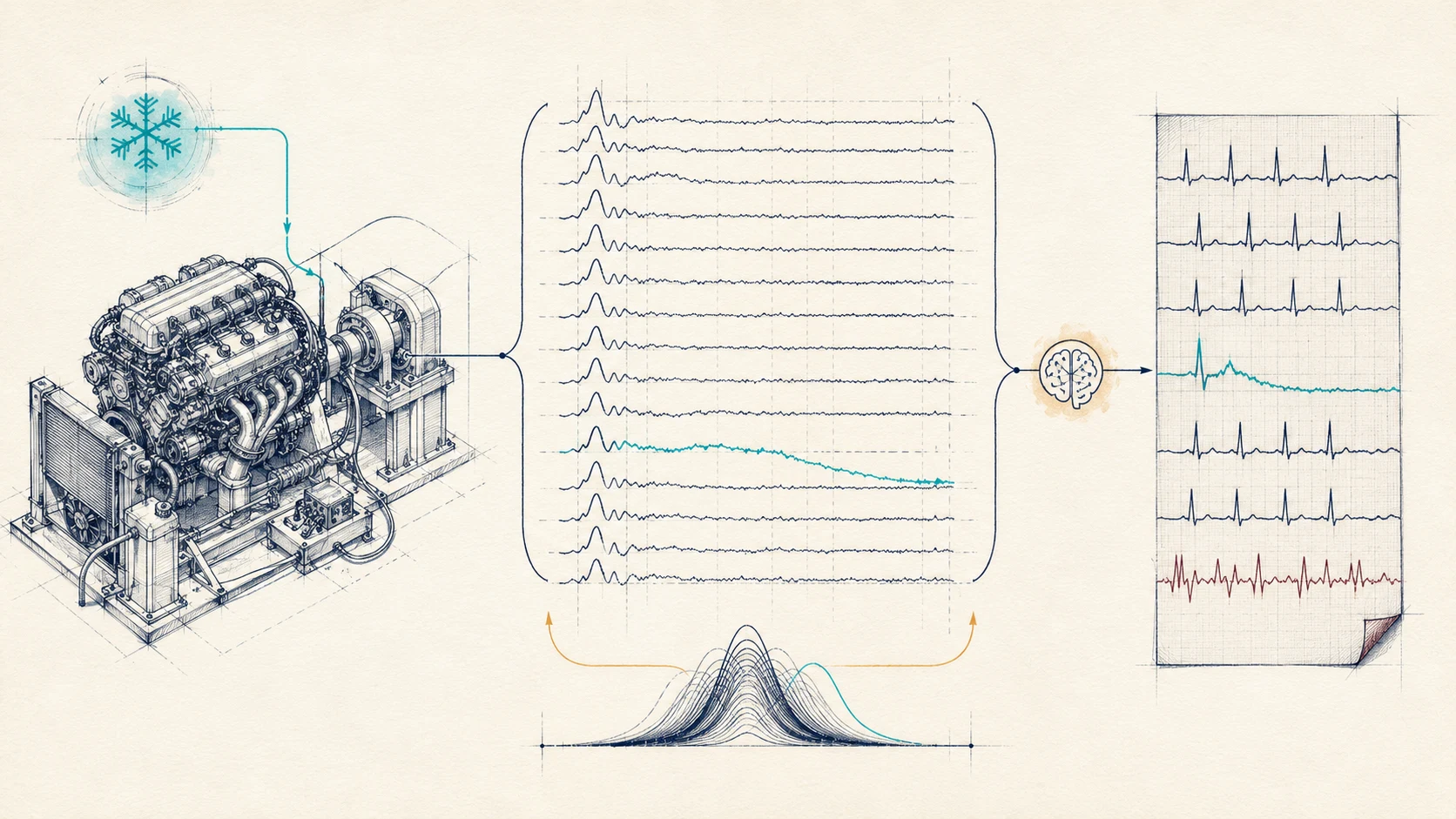
AI in Automotive Quality Control: How ECG-Style Anomaly Detection found Faulty Engines in <5 Secs
A case of AI in automotive quality control where ECG-style anomaly detection caught 20 faulty engines hidden in 1.3M units, in under 5 seconds each, by defining normal instead of chasing rare faults.

Business
Who Should Explore AI Tools Inside a Business?
A practical operating rule for assigning AI tool exploration by temperament, not title, so curiosity creates operating memory instead of distraction.

Business
AI Tool Tourism
Why chasing every new AI tool creates cognitive load, workflow breakage, and fragmented productivity — and the three reasons that actually justify a switch.